

Trunk Flaky Tests vs Buildkite Test Engine
Buildkite tells you which tests are flaky. Trunk stops them from breaking your builds.
Tired of clicking re-run? Thousands of engineers at these fast-growing companies were too













Last updated: March 2026

Features
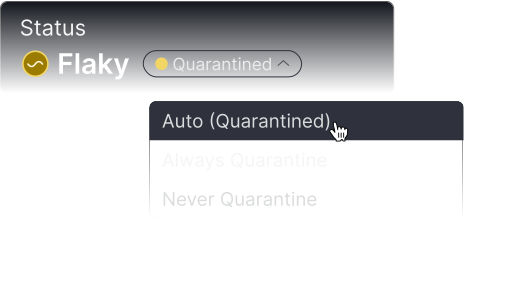
Quarantine enforcement on non-Buildkite CI
✅ Native, any CI
REST API only - requires custom wrapper
Quarantine enforcement on non-Buildkite CI
bktec only runs inside Buildkite Pipelines. On GHA or any other CI, quarantine is a display property unless you build enforcement yourself.
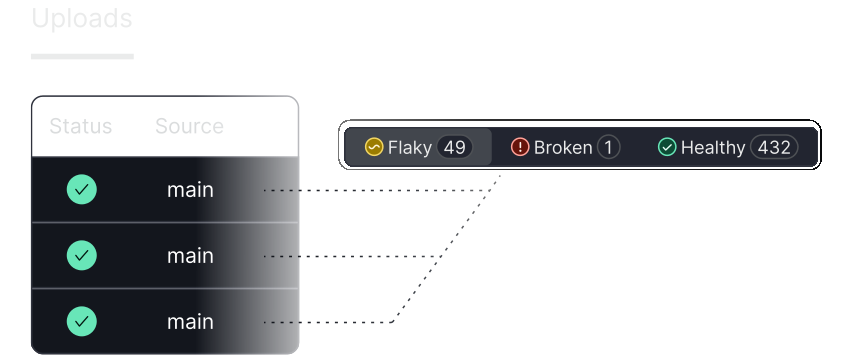
Flake detection: pass-on-retry
✅ Configurable recovery period
✅ Yes
Flake detection: pass-on-retry
Both detect tests that fail then pass on re-run of the same commit.
Flake detection: statistical monitor
✅ Threshold Monitor: configurable activation %, recovery %, time window, branch scope
✅ Transition count + Probabilistic Flakiness Score
Flake detection: statistical monitor
Both have statistical detection. Trunk’s is branch-scoped and fully configurable. Buildkite’s PFS is more sophisticated for large/noisy suites but less tunable.
New test monitor
❌ Not offered
✅ Beta
New test monitor
Buildkite can trigger on a test’s first execution-useful for catching flakiness introduced by new tests before they propagate.
Manual flaky override
✅ With audit trail
✅ Mute / skip via UI, API, or workflow action
Manual flaky override
Both support manual flagging.
Failure fingerprinting
✅ AI-clusters distinct failure modes by stack trace signature
❌ Not offered
Failure fingerprinting
Trunk groups failure patterns across runs so engineers can distinguish root causes without reading logs. Also enables smarter quarantine: novel failure signatures surface as new issues rather than being absorbed by existing quarantine rules.
Bazel support
✅ Native BEP ingestion; CLI auto-locates JUnit XML from BEP; target-level visibility and filtering in dashboard
No Bazel collector - export JUnit XML manually and upload; target metadata and span features lost in translation
Bazel support
Trunk reads the BEP directly - correct by construction. Locating the right JUnit XML in a Bazel build without parsing the BEP is error-prone: stale and cached outputs silently produce wrong data. Even when the XML path works, Buildkite has no Bazel target-level filtering.
PR / GitHub comments
✅ Per-PR test summaries
✅ Via Pipelines build page
PR / GitHub comments
Trunk surfaces flaky test context directly on the PR. Buildkite shows test results in the build page when using Buildkite Pipelines.
Metrics and trends
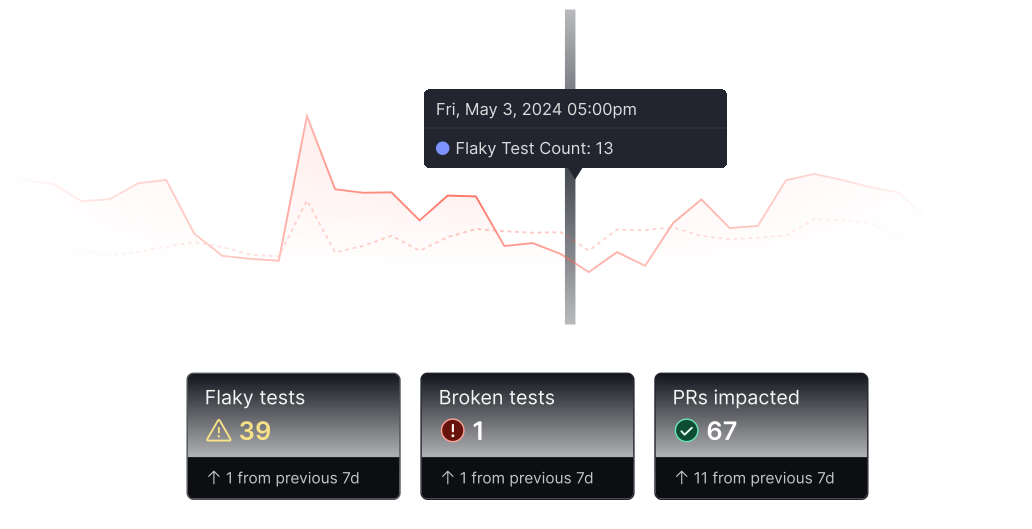
✅ Pass rates by branch, PRs impacted, runs quarantined
✅ Pass rates, reliability scores, execution history, team reporting
Metrics and trends
Trunk surfaces metrics tied directly to engineering flow - how many PRs were affected, how many runs quarantined. Buildkite focuses on test suite health in isolation.
Webhooks and API
✅ REST API + webhooks
✅ REST API + webhooks
Webhooks and API
Buildkite Test Engine webhooks fire on workflow monitor alarm and recover action events. Both support custom HTTP endpoints for downstream integrations.
Test ownership
✅ Reads standard CODEOWNERS file directly
Requires a separate TESTOWNERS file using Buildkite team slugs
Test ownership
Trunk derives ownership from the CODEOWNERS file already in your repo - no additional file to maintain. Buildkite requires a parallel TESTOWNERS file with Buildkite-specific team slug syntax, which means creating and keeping a second ownership definition in sync with your existing one.
Ticketing integrations
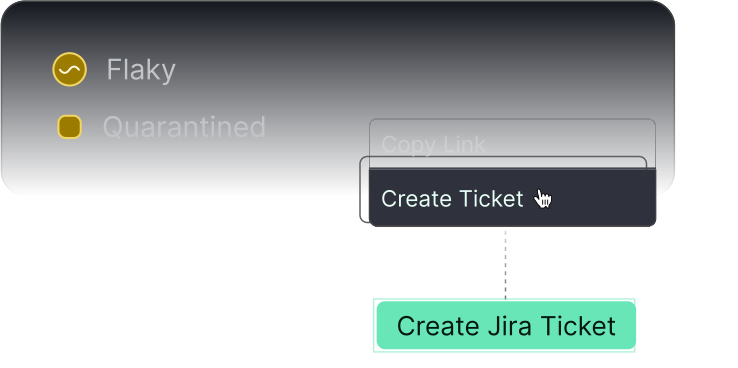
✅ Linear, Jira
✅ Linear only
Ticketing integrations
Buildkite’s only native Test Engine ticketing integration is Linear. Jira and others require webhook + custom handler.
Slack integration
✅ Workflow-triggered alerts
✅ Workflow-triggered notifications
Slack integration
Both fire Slack notifications from workflow events.
MCP / AI agent integration
✅ Fix flaky tests tool returns root cause, git blame, first-seen commit, failure history to coding agents
Read-only tools to get tests, test runs, and failed executions
MCP / AI agent integration
Buildkite’s MCP exposes read-only test data lookup. Trunk’s is purpose-built to hand structured diagnostic context to a coding agent to generate and apply a fix. Fundamentally different use case.
Test splitting / parallelism
❌ Not offered
✅ bktec (Buildkite Pipelines only)
Test splitting / parallelism
A real Buildkite advantage for teams already running on Buildkite Pipelines.
Pricing model
Per committer/year
Per managed test/month + per user/month
Pricing model
Buildkite’s cost grows as your test suite grows. Adding tests increases your bill.
Merge Queue
✅ Included in Enterprise
❌ Not offered
Merge Queue
Trunk bundles Merge Queue at no additional cost. Buildkite has no merge queue product.
SOC 2
✅
✅
SOC 2
Both Trunk and Buildkite are SOC 2 Type II certified.
SSO
✅ Enterprise
✅ Pro+
SSO
Both support SAML-based SSO - Trunk on Enterprise, Buildkite on Pro and above.
Support
✅ 24/7 pagerduty for critical issues (Enterprise)
Priority email on Pro; Premium support with SLA is a paid add-on (Enterprise only)
Support
Trunk includes 24/7 on-call for system-critical issues in Enterprise. Buildkite’s SLA-backed support requires purchasing an add-on.

“We shifted engineering resources from tool maintenance to building internal AI agents.”

“It’s really nice to be able to go into the dashboard and see - oh, this has flaked on 15 different PRs today.”

Security Overview
Your code is your IP, that’s why security and privacy are core to our design. We minimize data collection, storage, and access whenever possible. We operate using the principle of least privilege at all levels of our product and processes.